

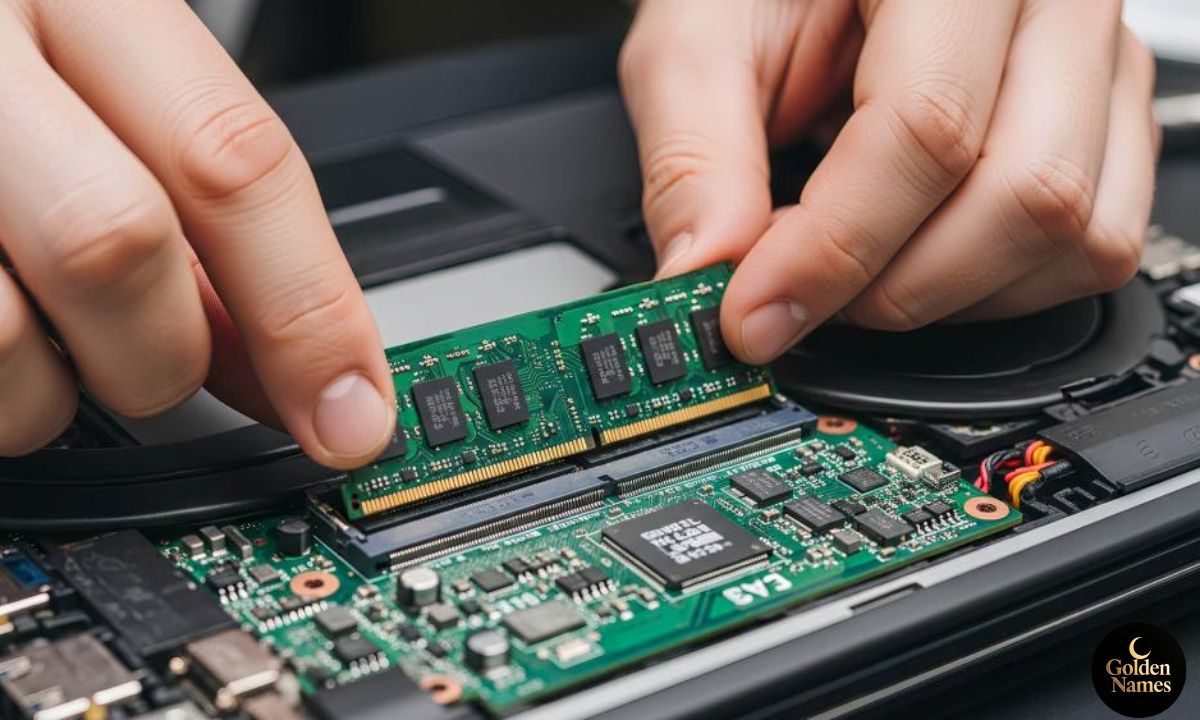
If you bought a gaming laptop from Best Buy with upgraded memory and later ran into a warranty repair, you may have heard the same story circulating online right now. A customer sends in a laptop that was working fine for months. It comes back with less RAM than it left with. Best Buy says the extra memory was never compatible in the first place.
That single sentence has sparked a wave of confusion, anger, and genuine questions from shoppers who want to know if their own laptop could be next. This guide breaks down what the Best Buy laptop RAM issue actually is, why it keeps happening, and what steps you can take if you find yourself in the same spot.
What Is the Best Buy Laptop RAM Issue
The phrase “Best Buy laptop RAM issue refers to a pattern of customer complaints where Best Buy’s Geek Squad or in-store repair team removes memory modules from a laptop during a warranty service, then claims the removed RAM was not officially supported by the machine.
In most of these cases, the customer originally bought the laptop as a custom configuration, meaning Best Buy itself installed and sold the extra RAM as part of the package. The buyer paid full price for that configuration. Months later, when the laptop needs a repair, the technician opens it up, finds RAM that supposedly exceeds the “official” maximum, and pulls it out instead of just fixing the actual problem.
The confusing part is that the customer did nothing wrong. They bought the laptop as advertised, used it normally, and only ran into trouble because a component failed and needed warranty service.
The Reddit Story That Brought This Into the Spotlight
One of the most talked about examples involved a Lenovo Legion 5 gaming laptop configured with a Core i9 processor, an RTX 5070 graphics card, a 2TB SSD, and 64GB of DDR5 RAM split across two 32GB sticks. The owner said the machine ran without a single hiccup for eight months before something inside it broke, prompting a warranty repair.
When the laptop came back, one of the two 32GB memory sticks was gone. Best Buy told the owner that the laptop only officially supported 32GB total, so the second stick was “incompatible” and had been removed. Best Buy did not send the module back either, which left the customer down a piece of hardware that can retail for well over $300.
This story matters because it is not really about one unlucky customer. It points to a bigger question that a lot of laptop shoppers are now asking: can a retailer sell you a specific RAM configuration, take your money for it, and later refuse to honor it during a repair?
Why Does This Happen? Understanding RAM Compatibility Claims
To understand the Best Buy laptop RAM issue, it helps to know how laptop memory specifications actually work. There are two numbers that often get confused with each other.
Officially listed maximum RAM is the number a manufacturer publishes on a spec sheet or support page. This is usually the amount the company tested and validated at the factory.
Actual supported RAM is often higher than the official number, especially on gaming laptops with two memory slots. Manufacturers frequently list a conservative maximum because that is what shipped in stock configurations, even though the motherboard and chipset can physically handle more.
This gap is exactly where these disputes start.
Manufacturer Listed Specs vs Real Capability
Many gaming laptops, including several Lenovo Legion models, list a maximum of 32GB on the official spec page even though the machine has two SODIMM slots that can each hold a 32GB module. That means the real physical limit is 64GB, but the published number lags behind.
Retailers sometimes lean on the older published spec instead of checking whether the manufacturer has quietly validated higher capacities. If a technician only checks the listed maximum instead of testing the actual configuration, they may wrongly assume extra memory is unsupported.
What Happens During a Warranty Repair
When a laptop goes in for warranty service, a technician typically opens the case to diagnose the reported problem. If they notice a memory configuration that looks unusual compared to the stock spec sheet, some technicians flag it as a modification, even when the retailer itself installed that memory at the point of sale.
This is where things go wrong. Instead of confirming the original invoice or purchase configuration, the RAM gets treated as an unauthorized upgrade and pulled from the machine.
Common Meanings and Interpretations of “RAM Incompatible”
When Best Buy or any retailer says a RAM stick is incompatible, it can mean several different things, and the term gets used loosely.
- Physically incompatible the RAM type, speed, or form factor genuinely does not match what the laptop’s motherboard requires.
- Exceeds official specification the RAM works fine, but it is more memory than the manufacturer’s published maximum, even if the hardware can handle it.
- Not validated by the manufacturer the combination has not gone through official testing, so a technician labels it unsupported as a precaution.
- Third-party installed the RAM was added after purchase by someone other than the original retailer, which some warranty policies treat differently.
In the Best Buy laptop RAM cases making headlines, the memory was almost always the second category. It worked perfectly, it was sold by Best Buy as part of the original configuration, and it simply exceeded an outdated maximum listed somewhere on a spec sheet.
Real-World Examples of RAM Disputes With Retailers
These situations are not limited to one brand or one customer. A few patterns show up again and again in forums, Reddit threads, and consumer complaint boards.
- A customer buys a gaming laptop with a factory upgraded RAM configuration. The laptop needs a warranty repair for an unrelated issue, like a broken hinge or a dead keyboard. The technician notices the RAM exceeds the listed spec and removes it anyway, even though the repair had nothing to do with memory.
- A customer upgrades their own RAM after purchase using a compatible third-party stick. During a later repair, the store treats any non-original component as grounds to void part of the warranty, and the RAM disappears from the final invoice.
- A customer receives their laptop back with less RAM installed and no replacement part or refund offered for the missing stick.
In each case, the common thread is a lack of clear communication before the memory was removed. Most customers say they were never asked for permission and only found out after picking up the laptop.
How to Protect Yourself Before You Buy a Custom-Configured Laptop
A little bit of homework before you buy can save you a massive headache later. Here is what actually helps.
Before You Buy
- Check the manufacturer’s official website directly, not just the retailer’s product page, for the real maximum supported RAM.
- Search the model number along with RAM upgrade or max RAM to see if other owners have successfully run higher capacities.
- Save a copy of your invoice or order confirmation showing the exact configuration you paid for, including RAM size and part numbers if listed.
- Take a photo of the RAM label or sticker on the modules themselves if you can access them before the laptop ships.
When You Send It In for Repair
- Note down the current RAM configuration before you hand the laptop over. A quick photo of the Task Manager or system information screen showing installed memory takes thirty seconds.
- Ask the store directly, in writing if possible, whether any components will be removed or replaced during the repair.
- Request that any removed parts be returned to you, especially memory, storage drives, or batteries.
- Keep your original purchase receipt in an easy to find place. This is your strongest proof that the RAM was part of what you paid for.
What to Do if Best Buy Removes Your RAM
If you already went through this and got your laptop back missing memory, there is a clear path forward.
- Pull your original invoice. If it lists the RAM as part of the configuration you purchased, that is your primary evidence.
- Contact Best Buy customer support directly rather than relying only on the in-store service desk. Explain that the removed memory was part of the original paid configuration, not an aftermarket addition.
- Escalate through official channels if the first response is unhelpful. Ask to speak with a supervisor or file a formal complaint through Best Buy’s corporate customer relations line.
- File a complaint with consumer protection agencies if the issue is not resolved. In the United States, that can include the Better Business Bureau or your state’s attorney general consumer complaint office.
- Consider a chargeback through your credit card issuer if Best Buy refuses to return or replace the missing component and you paid by card. Many card issuers treat this as a legitimate billing dispute.
- Share your experience publicly on forums or social media with documentation. Public pressure has resolved several similar disputes fairly quickly in the past, partly because retailers want to avoid negative press.
Pros and Cons of Buying Pre-Upgraded RAM Configurations From Retailers
| Pros | Cons |
| Memory is professionally installed and tested at the point of sale | Warranty repairs can sometimes flag the upgrade as non-standard |
| No need to open the laptop yourself or void any seals | Spec sheets may not reflect what was actually sold to you |
| Convenient if you are not comfortable with DIY hardware upgrades | Retailer service desks may not cross-check your original invoice |
| Often bundled at a lower cost than buying and installing RAM separately later | Disputes can take time and multiple escalations to resolve |
Common Mistakes and Misconceptions
Mistake: Assuming the manufacturer’s listed max RAM is always accurate. Many gaming laptops physically support more than what is printed on the official spec sheet, especially older listings that have not been updated since a manufacturer validated higher capacity kits.
Misconception: A retailer can remove parts without telling you. Reputable repair practice requires disclosure of any component changes. If a part was removed without your knowledge or consent, that is worth escalating regardless of the compatibility explanation given.
Mistake: Not keeping proof of your original configuration. Without a saved invoice or screenshot, it becomes your word against the store’s records, which puts you in a weaker position.
Misconception: Warranty repairs only fix the reported problem. In practice, technicians may inspect and flag anything inside the case, even components unrelated to why you sent it in.
Mistake: Assuming the issue is isolated to one retailer or one brand. While Best Buy has been the focus of recent complaints, similar disputes have popped up with other retailers and repair centers whenever a custom configuration meets a rigid warranty checklist.
Frequently Asked Questions
Why did Best Buy remove RAM from my gaming laptop
Best Buy typically removes RAM during a repair when a technician believes the installed memory exceeds the manufacturer’s officially listed maximum, even if that memory was part of the original configuration you purchased.
Is it legal for Best Buy to keep the RAM stick instead of returning it
Retailers are generally expected to return any parts they remove that were part of your paid purchase. Keeping a component you already paid for without returning it or offering compensation is a strong basis for a formal complaint.
Can a laptop actually support more RAM than the manufacturer lists
Yes. It happens often. Manufacturers sometimes publish a conservative maximum based on what shipped originally, even though the motherboard and chipset can handle higher capacity modules that were validated later.
What should I do if my laptop RAM was removed during a Best Buy repair
Gather your original invoice, contact Best Buy customer support directly, and escalate to a supervisor or corporate customer relations if the store level response is not satisfactory. Keep documentation of every conversation.
Does this affect all Best Buy laptops or just certain brands
The recent viral case involved a Lenovo Legion 5, but the underlying issue, mismatched spec sheets and repair policies, can technically apply to any brand sold with a custom RAM configuration.
How can I check if my RAM upgrade is officially supported before buying
Visit the manufacturer’s official product page directly, search the exact model number for documented RAM upgrades from other owners, and avoid relying solely on the retailer’s listing, which may not always match the manufacturer’s most current specifications.
Will this void my laptop’s warranty
If the RAM was installed by the retailer as part of your original purchase, it should not void your warranty. If you added RAM yourself after purchase, check your specific warranty terms, since some manufacturers only void coverage for damage caused by the upgrade, not the upgrade itself.
Final Thoughts
The Best Buy laptop RAM issue really comes down to a communication gap between what gets sold at checkout and what gets recognized during a repair. Customers are paying full price for specific configurations, and it is reasonable to expect that configuration to be honored later, especially when the hardware has been working fine for months.
If you are shopping for a custom-configured laptop, do a little extra research on the real maximum RAM your model supports, and hold onto your invoice like it is gold. If you ever find yourself in a repair situation where components go missing, stay calm, document everything, and push the issue up the chain rather than accepting the first answer you are given. Most of these disputes get resolved once the right paperwork lands in front of the right person.